
 EN
EN  NO
NO  GR
GR  PL
PL  AU
AU  HU
HU  DE
DE  SI
SI  CA
CA  CZ
CZ  IT
IT  NZ
NZ  AR
AR  CH
CH  AT
AT  CL
CL  DK
DK  ES
ES  PT
PT 
 Games
Games 
 Live Dealers


 Hall of Fame
 VIP
VIP 

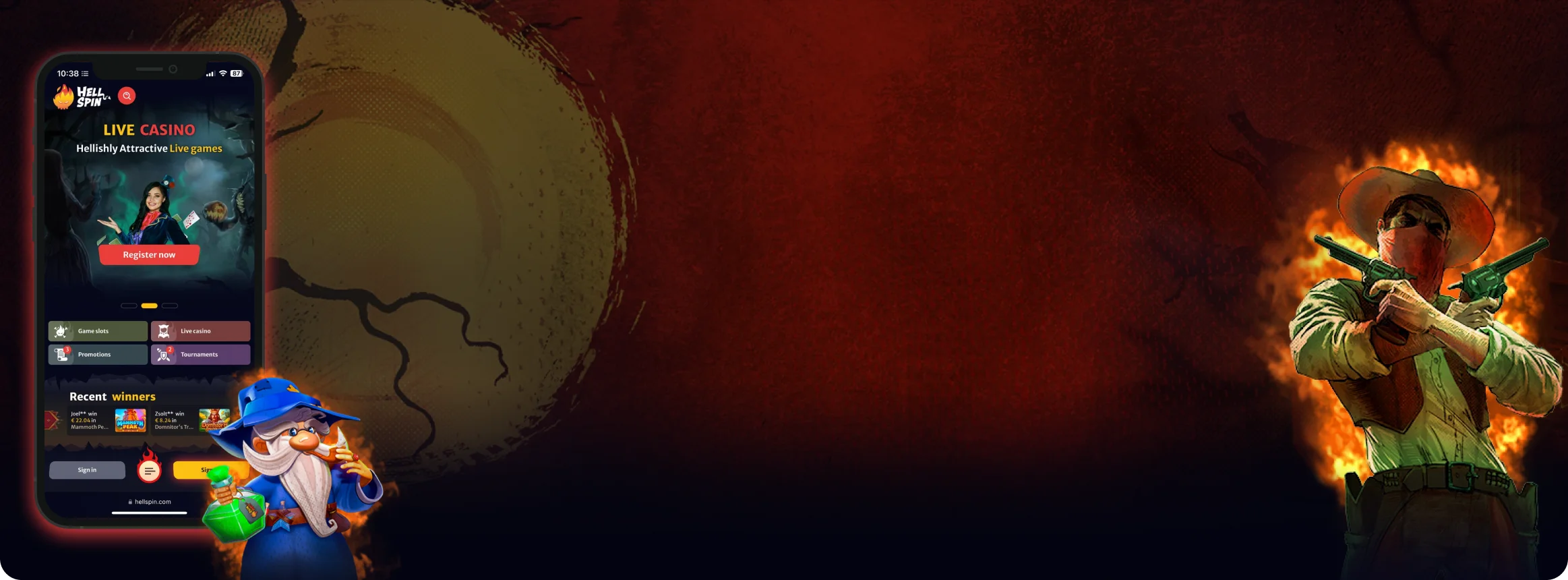
HellSpin Mobile App Australia – Complete Guide for iOS and Android Users
We put the HellSpin mobile app through its paces across various devices in Australia. From setup to transactions, here's what genuinely impressed us during everyday sessions.
Join NowHellSpin Mobile App
While HellSpin can be played through an app on a mobile device, the experience is very different from playing on a computer. On a smartphone, the priority is the convenience and responsiveness. The Australian players want games that don’t need to buffer, smooth live dealer video streams and an interface that doesn’t feel awkward. Given this, we installed the app on both iPhone and Android mobile phones to see whether it works as advertised.
We did what every player does: browsed the store, logged in, visited banking, played the pokies, sat at the live tables, and waited for the wheels of online gambling to turn. Throughout all of that, we paid attention to what worked and what didn’t. It’s not about numbers, though – it’s those little things that make a huge difference to your day to day experience.
A full walkthrough exists for this mobile version of the site too, which explains what happens if you stay or download the mobile version.
Main Features
Before diving into the complete analysis, here’s what caught our attention within the opening moments:
- The main lobby appeared immediately without any loading animations or startup screens.
- Game thumbnails were sized perfectly for comfortable tapping, even on compact handsets.
- The search function recognised both game titles and software providers accurately.
- Pokies, live dealer games, promotions, and the cashier were all present—nothing was stripped out.
- Display quality remained crisp on older models, with colour tones that were easy on the eyes.
- Transitions between different areas felt natural and responsive.
How to Download and Install the HellSpin App
Once you know how to, installing HellSpin on your smartphone or tablet is a fairly simple process, but a few pre-install checks can avoid late issues.
To avoid problems downloading the app, make sure you are using the latest version of the device software, have enough free storage space, and have a strong Wi-Fi connection before starting the download.
 iPhone or iPad (iOS)
We started our testing with iOS. The procedure mirrors downloading any standard application, though paying close attention helps you avoid selecting an incorrect version.
- Launch the App Store directly on the device you intend to use for gaming. Downloading on the same iPhone or iPad eliminates additional verification steps that occur when switching between devices.
- Type “HellSpin Casino” into the search bar. With multiple apps displaying similar appearances, always verify the developer name and preview images. These should align with the official HellSpin website’s branding.
- Select “Get”, authenticate using Face ID or your Apple ID credentials, then wait for installation to complete. Given the modest file size, the entire process typically wraps up in under sixty seconds on stable Wi-Fi.
- After installation, launch the app and sign in using your existing desktop credentials. First-time users can complete registration directly within the app without returning to the website.
We strongly suggest activating Face ID authentication during initial setup. It eliminates the need to manually enter passwords for each session—particularly handy for Aussie players who might be gaming on the go.
 Android Phones or Tablets
For Android users, the app is typically available through Google Play, although regional restrictions occasionally hide gambling applications. When that happens, HellSpin offers an APK download directly from their official website. We evaluated both installation methods.
Google Play
- Open Google Play on your Android device and confirm you’re logged into your account.
- Search for “HellSpin Casino” and select the verified listing.
- Tap “Install” and allow the download to finish.
- Launch the app, then either sign in or register a new account.
- Navigate to Settings and configure fingerprint recognition for speedier logins.
APK Download (when Play Store access is restricted)
- Navigate to the official HellSpin website using your mobile browser, locate the mobile section, and tap “Download for Android (APK)”.
- Your device will prompt you to permit installations from that particular browser. Approve this in your security settings.
- Once the file appears in your Downloads folder, tap it and select Install.
- Open the app, log in, and you’re set to play.
- As a precaution, return to your settings and disable “unknown sources” once installation is complete.
After installation, both methods offer the same functionality, and apps are updated likewise: with an APK, the app needs to be re-downloaded once an update is available, while Google Play updates the app within the background for the user.

App Features and Benefits
As noted earlier, the HellSpin app delivers a comprehensive casino experience rather than a watered-down mobile version.
- Every game category—from pokies to live dealer tables—loads natively within the app. The banking section, promotional offers, and account management are equally accessible, eliminating the need to alternate between desktop and mobile platforms.
- The main advantage is the portability. Being able to play at the casino through your phone means that Australian players can get a few spins on the slots during their lunch break, on the bus or without a laptop at home. The interface is optimized for smaller displays. It has larger game tiles. It has simpler menus. It has thumb-based navigation in portrait mode.
- Security features are woven into the login experience. iOS users benefit from instant Face ID access, while Android players can utilise fingerprint authentication. Both options replace cumbersome password entry while maintaining robust account protection. The security section also allows you to monitor active sessions and remotely log out from devices you no longer use.
- Performance remains consistent even on mid-tier handsets. Visual quality automatically adapts to your connection strength—full resolution on strong Wi-Fi, reduced quality during data fluctuations—preventing games from stalling unexpectedly.
- Push notifications are available but entirely optional. They cover tournament announcements, promotional updates, and payment confirmations, and can be silenced with a single tap if you prefer uninterrupted sessions.
Combined, these capabilities make the HellSpin app a genuine extension of the desktop platform. Australian users receive identical functionality with the added convenience of instant access from anywhere.



App Requirements and Compatible Devices
HellSpin isn’t particularly resource-hungry, though your phone or tablet should meet certain baseline specifications for optimal performance. The installation footprint is minimal, but games—particularly live dealer streams—demand sufficient memory and a stable internet connection. Keeping your operating system current matters just as much as available storage.
iOS Devices
Android Devices
Connection
Since live casino games essentially stream video content, your internet quality becomes the most significant performance factor.
With robust Wi-Fi or 4G/5G connectivity, streams display in high definition without interruption. When signal strength drops temporarily, the app reduces visual quality momentarily rather than freezing entirely, then restores full resolution once your connection stabilises.
In summary, most mid-range smartphones released within the past five years will run HellSpin without issues. The essential requirements are updated software, a few hundred megabytes of free space, and dependable connectivity for live gaming—something most Australian mobile networks handle well in urban areas.
Playing HellSpin Through a Browser
Some players prefer avoiding app installations entirely, and HellSpin accommodates this preference admirably.
- The website functions directly within mobile browsers, and we conducted tests using Safari on iPhone and Chrome on Android. In both scenarios, the site adapted smoothly to screen dimensions. Pokies occupied the display without visual distortion, buttons remained large enough for single-thumb operation, and the cashier presented the same polished layout found on desktop.
- This approach suits various circumstances. If your device is running low on storage, browser access keeps things lightweight. If you’re using someone else’s phone or a work device, you won’t leave any application traces behind. Recreational players may also find this preferable—you can sign in, enjoy a handful of games, and log out without managing updates or notification preferences.
- Browser performance remained reliable throughout our testing sessions. Safari loaded new pokies within seconds, running them smoothly without audio synchronisation issues. Chrome handled live roulette streams at full resolution, and even after switching between tabs, the session resumed precisely where we left off.
- Payment functionality matched the native app experience: deposits via cards and e-wallets processed instantly, with withdrawals following the same timeframe we’d observed in the installed version—reassuring for Australian players who value consistent banking.
- The sole minor inconvenience is that browser sessions occasionally timeout more quickly, requiring password re-entry after periods of inactivity.
- Tap the “Share” button on iOS devices in order to treat the browser as an app. Then pick “Add to Home Screen” from the window that appears. On Android devices, the equivalent option becomes available through the “Share” button from the Chrome menu. The icon that opens the web site in full-screen mode will be placed on the home screen without navigation bars. For many Australian players it has provided app-like responsiveness without the app needing to be downloaded.

FAQs
Nope. Your credentials work the same on desktop and also on mobile, so there's no new login to create. Accounts have balances, bonuses are active, and gamers played before, among devices synced. Players may start a gaming session, then continue it upon another device.
The download is about 60 to 80 MB according to operating system, which is relatively small compared to the average new app these days. However, to recommend that a few hundred megabytes remain available upon the device still applies, as games also need some cache space to load in the background.
Your account and all associated data remain stored online. Uninstalling the app simply removes it from your handset—not from the casino's servers. Reinstalling the app is all that's needed to regain access, and upon logging in again, your balance and history will appear exactly as you left them.
Absolutely. Cards and e-wallets can be saved within the cashier section, accelerating future deposits. On personal devices, this proves convenient, though if you're sharing the handset with others, avoiding saved payment details is the safer approach.
Most pokies rotate automatically, providing an expanded viewing area. However, menus and the banking section remain locked in portrait orientation. This design keeps navigation straightforward and avoids confusion when transitioning between games and account settings.
The app force closes or the device restarts. This is how the problem usually gets fixed. A reinstall usually solves most underlying errors, if problems persist. Keep your phone's operating system updated because the app was developed to run on iOS 14 or newer and Android 9 or newer operating systems.
Pokies place minimal strain on your battery, but live games function similarly to video streaming and demand more power. Extended live table sessions will deplete your charge faster, especially when using mobile data. Connecting to Wi-Fi, reducing screen brightness, and closing resource-intensive background applications will extend playtime.
Through iOS and Google Play, updates download automatically and install in the background. For the APK installation, you'll need to manually download updated files from the official HellSpin website when new versions are released. Updates are generally minor and focus on improving stability or adding compatibility with recently launched games.

Responsible Play on Mobile
For the app to present you with all these games this easily, for anyone who likes to gamble in moderation, it is well worth using the responsible gambling tools that the app has provided, especially in Australia where this is a key factor.
From the account menu, players may set up deposit and loss limits, session reminders/warnings, time-out periods, and may set up a self-exclusion option for longer breaks from gambling.
It is best to set these limits before playing a bonus round or a long gaming session as it is not always possible to change your limits during a game. The app also provides helplines for people who wish to talk with a professional outside the casino.
