
 EN
EN  NO
NO  GR
GR  PL
PL  AU
AU  HU
HU  DE
DE  SI
SI  CA
CA  CZ
CZ  IT
IT  NZ
NZ  AR
AR  CH
CH  AT
AT  CL
CL  DK
DK  ES
ES  PT
PT 
 Games
Games 
 Live Dealers


 Hall of Fame
 VIP
VIP 

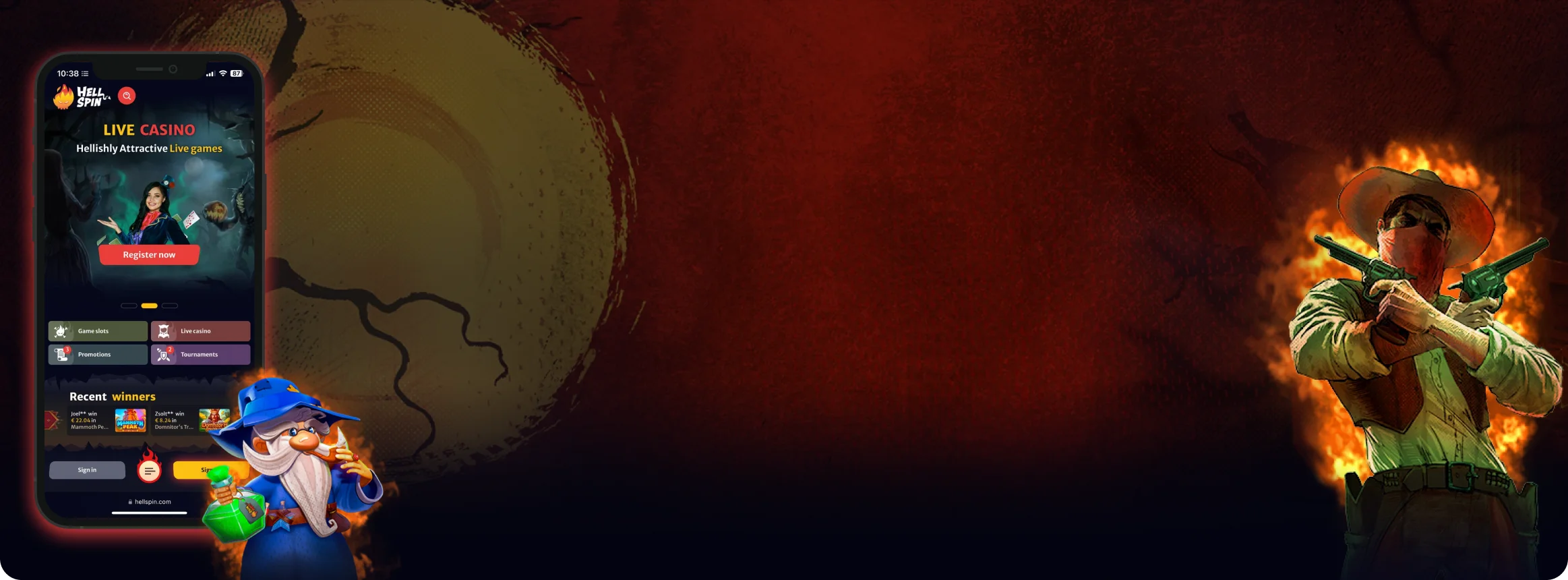
HellSpin Mobile App – Complete Guide for Canadian iOS and Android Users
We put the HellSpin mobile app through its paces on various devices. From setup to banking, here's what Canadian players can expect in daily use.
Join NowHellSpin Mobile App
HellSpin’s mobile app is distinct from its desktop counterpart. Particular to Canadian players is the priority for convenience and responsiveness when using the app version of HellSpin. We do not want to deal with long load times. We do not want to deal with streaming issues. We do not want to deal with complicated menus. To see if the app delivers what players want, we installed it on our iPhone and Android phones and started checking things out.
We did what any other Canadian player would: scrolled through the store, signed in, checked into the cashier and switched between slot machines and live dealer games. We noted the positives and flagged anything that bothered us or felt slow. These are not just technical specifications, but the little things that can differ throughout your gaming day.
This walkthrough should clarify if you decide between downloading the app or sticking to your mobile browser.
Main Features
Before diving into the complete overview, here’s what caught our attention during the first few minutes with the app:
- The main lobby appeared right away, with zero splash screens or waiting periods.
- Game thumbnails were sized well for comfortable tapping, even on compact smartphone displays.
- The search function recognized both game titles and software provider names accurately.
- Slots, live dealer options, promotional offers, and the banking section were all accessible — nothing was left out.
- Text remained crisp on older handsets, and the colour palette was well-balanced without being too vivid.
- Navigation felt intuitive, making it easy to jump between different areas of the app.
How to Download and Install the HellSpin App
Although it’s easy to get HellSpin on your mobile device, there are a few steps worth taking before you jump in.
To avoid an incomplete installation or an unexpected crash partway through the download, you should ensure you’re on the latest version of your operating system, have enough free storage space, and connect to a stable Wi-Fi network.
 iPhone or iPad (iOS)
We started with Apple devices. The installation mirrors what you’d expect from any standard app, though paying close attention to certain details ensures you don’t accidentally download an incorrect version.
- Launch the App Store directly on the device you plan to use for gaming. Downloading on your actual phone or tablet avoids additional security prompts that can occur when switching between devices.
- Type “HellSpin Casino” in the search bar. If multiple apps appear with similar names, verify the developer information and preview images. These should correspond with the official HellSpin website’s appearance.
- Press “Get,” authenticate using Face ID or your Apple ID credentials, and allow the download to complete. Since the file size is modest, installation typically wraps up in under sixty seconds on a decent Canadian internet connection.
- After installation finishes, open the app and sign in with the same credentials you use on desktop. First-time players can register directly within the app without needing to visit the website separately.
We suggest activating Face ID login during the initial setup. It eliminates the need to type your password each time you open the app.
 Android Phones or Tablets
For Android users, the app is usually available through Google Play, although regional restrictions occasionally hide gambling applications. When that happens, HellSpin offers an APK file downloadable from their official website. We tested both installation methods.
Google Play
- Open Google Play on your Android device and confirm you’re logged into your account.
- Search for “HellSpin Casino” and select the official app listing.
- Tap “Install” and wait for the process to finish.
- Launch the app, then either log in or set up a new account.
- Navigate to Settings and turn on fingerprint authentication for quicker access in the future.
APK Download (when Google Play doesn’t display the app)
- Go to the official HellSpin website using your mobile browser, find the mobile section, and tap “Download for Android (APK).”
- Your device will prompt you to permit installations from this source. Accept this in your security settings.
- Once the APK file lands in your Downloads folder, tap it and select Install.
- Open the app, sign in, and you’re all set to play.
- As a precaution, return to your settings afterward and disable “unknown sources” once installation is complete.
Both versions function identically once installed, and updates are released on a regular basis. The APK route may require manual re-downloading when new versions become available, whereas Google Play manages updates automatically.

App Features and Benefits
As noted earlier, the HellSpin app provides a complete casino experience rather than a stripped-down alternative.
- Every game category, from video slots to live dealer tables, loads directly inside the app. The cashier, bonus offers, and account management tools are fully integrated, eliminating any need to alternate between mobile and desktop platforms — particularly convenient for Canadian players who game across multiple devices.
- Portability stands out as the primary advantage. Carrying the casino in your pocket means you can enjoy a few spins during a coffee break, while commuting on the TTC or TransLink, or relaxing at home without powering up a laptop. The entire interface has been optimized for smaller screens: oversized game tiles, streamlined menus, and straightforward vertical scrolling using just your thumb.
- Security features are woven into the authentication process. iOS devices offer Face ID for instant access, while Android phones support fingerprint recognition. Both options replace cumbersome passwords while keeping your account protected. Additionally, you can check active sessions in the security menu and remotely log out from devices you no longer use.
- The app performs smoothly even on mid-tier smartphones. Visual quality adjusts based on your connection strength — sharper graphics when you’re on strong Wi-Fi, lighter quality during spotty data coverage — so gameplay doesn’t stutter or freeze.
- Push notifications are available but entirely optional. They inform you about tournaments, special promotions, and payment confirmations, though you can silence them with a single tap if you’d rather not be disturbed.
Combined, these capabilities make the HellSpin app a worthy companion to the desktop platform. You receive identical functionality with the bonus of instant access wherever you happen to be.



App Requirements and Compatible Devices
Although HellSpin is not a particularly resource-intensive program, the device on which it is installed should meet minimum system requirements at least. The initial download is relatively lightweight, but games and live dealer streams require enough memory and data connection to experience no interruptions. Equally important is keeping the operating system up to date and not running out of storage.
iOS Devices
Android Devices
Connection
Because live casino games stream video in real time, your internet connection speed is the most important performance factor.
In areas along with strong wi-fi or 4G/5G coverage, which is available in most Canadian urban areas, the streams are viewed in HD. If the connection falls temporarily below the appropriate level, the app will downscale the stream and return to HD when the server connects better.
Any mid-range smartphone from the last five years should be able to run HellSpin in general, with the condition that it has a relatively recent system software, a couple hundred megabytes of free memory, and a reasonably-good internet speed for online matches.
Playing HellSpin Through a Browser
Some players prefer avoiding app installations altogether, and HellSpin accommodates them perfectly well.
- The site works in mobile browsers as well. In our experience, we tested Safari on iPhone and Chrome on Android, and the site was responsive in both. Slots were displayed in full screen with no distortion, buttons were the right size to be pressed with a single thumb, and the cashier was unchanged from desktop.
- This is also helpful on a computer with limited storage space, since there is no difference between the amount of storage available when playing in a browser or downloading one of the apps, or on a borrowed or work phone. This mobile-optimized viewpoint may also appeal to casual Canadian players who simply want to log in, play a few games, and get out without worrying about updates or notifications.
- Performance in-browser was also good, with new slots loading in seconds in Safari and no lag between the audio and video. The live roulette was streamed in full resolution on Chrome, and the session picked up from exactly where it left off when switching to another tab.
- At the time of writing banking functions were the same as in the native app, with card and e-wallet deposits being instant and withdrawal times the same.
- One small gripe: It seems to log your browser sessions out sooner in time, so if you step away from a PC, you’ll have to re-enter the password.
- To access the service like an app, users can tap the “Share” icon and select “Add to Home Screen” on iOS, or choose an equivalent option from Chrome’s menu on Android. Then an icon is added onto the home screen. Tapping the icon in the normal way will launch the site into a full-screen view without browser toolbars. It is fast enough for most Canadian players to not find installing the app necessary.

FAQs
Not at all. Current log-in details will function on desktop and mobile so setup is not needed. Account balances, active bonuses, and gameplay session data synchronize automatically so you begin a session on one device and pick at it on another.
It is quite small, coming in at about 60-80 MB depending on your operating system, so it is smaller than most modern day apps and should not take up too much space. However, it is recommended to leave a few hundred megabytes free for additional cache space for the games.
The data on your account is still available online and any deleting of the app is simply removing it from your phone, not the casino. After that, when you log in, you will be returned to the app where you left off, and your balance and history will be intact.
Absolutely. You can store credit cards and e-wallets in the cashier section for faster future deposits. It's very convenient for you on your own device, but if you're going to share your phone, you should probably not save it. For Canadian players, using Interac or a popular e-wallet makes it even easier.
Because most slots will spin automatically, the viewable area is fairly large. The menus and the cashier orient in portrait to ensure people find games or account options with ease and in a straightforward manner.
Try to close and then reopen the app near or restart your phone. Alternatively, if the issue persists, try uninstalling and reinstalling the app again after that point. Ensure your device features the newest software. The app works on iOS 14 and up or Android 9 and up. The app on an outdated operating system may not receive updates.
Slot games consume relatively little power, but live dealer games function like video streaming and draw more energy. Extended sessions at live tables will deplete your battery faster, especially when using mobile data. Playing over Wi-Fi, reducing screen brightness, and closing other demanding apps in the background will help conserve power.
On iOS and through Google Play, updates download automatically in the background. For those using the APK version, you'll need to manually download newer files from the official HellSpin website when they're released. Updates are generally small and focused on improving stability or adding compatibility with new game releases.

Responsible Play on Mobile
Because the app makes games easy to access, make use of the responsible gambling tools to maintain a healthy gambling lifestyle.
You can set deposit, loss or session reminders or cool-off periods from the account menu. If you want a longer time away, self-exclusion is an option for Canadian users who feel that they need to take a further break.
It’s best to do this before claiming a bonus or playing over a long period of time, as changing them mid-game can affect your play. If you’d rather talk to someone other than the casino, there are links to external support networks in the app.
